


מדריך המשתמש
אפשרויות תצוגה
כאן תוכל להגדיר אפשרויות תצוגה נוספות להקרנת הטקסט. האפשרויות הזמינות שונות בהתאם לאיזה מצב אתה מגדיר.
הקרנת הטקסט
אם אתה צופה בתצוגה מקדימה של הקרנת טקסט, תוכל להגדיר את ההגדרות הבאות:
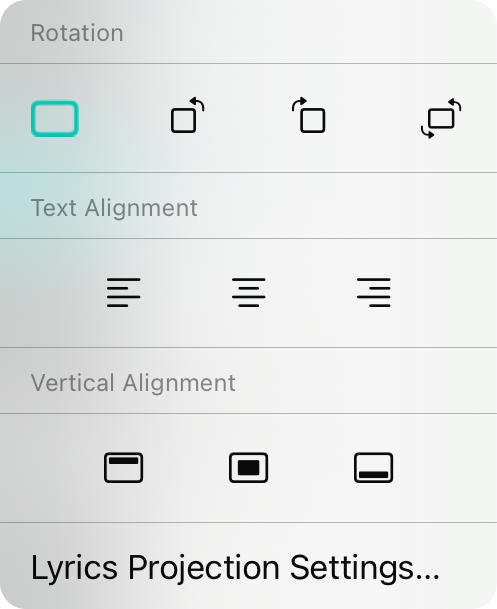
סיבוב
זהו סיבוב התצוגה. ברירת המחדל היא 0º המציגה בכיוון נוף. אפשרויות נוספות כוללות סיבוב שמאלה (270º), סיבוב ימינה (90º), או סיבוב הפוך (180º).
יישור טקסט
כאן תוכל לשנות את יישור הטקסט של הטקסט. ברירת המחדל היא מרכזי אך תוכל גם לבחור יישור שמאל או ימין.
יישור אנכי
כאן תוכל לבחור איפה הטקסט מתפרס בתצוגת הטקסט. ברירת המחדל היא באמצע אך אפשרויות נוספות כוללות חלק עליון וחלק תחתון.
הגדרות הקרנת הטקסט
תוכל להשתמש באפשרות זו כדי לפתוח את ההגדרות להקרנת טקסט ישירות.
מסך במה
אם הגדרת את מצב מסך במה, תפריט זה מוצג המאפשר לך להגדיר אפשרויות תצוגה עבור מצב מסך במה.
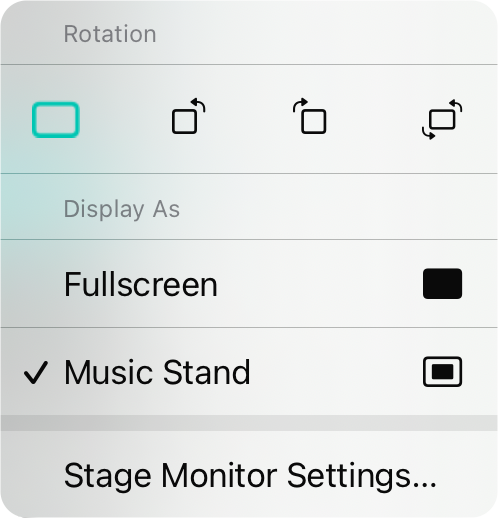
סיבוב
זהו סיבוב התצוגה. ברירת המחדל היא 0º המציגה בכיוון נוף. אפשרויות נוספות כוללות סיבוב שמאלה (270º), סיבוב ימינה (90º), או סיבוב הפוך (180º).
הצג בתור
זה קובע כיצד מצב מסך במה מוצג.
- מסך מלא מציג את תרשים האקורדים או את הסימן המוזיקלי מקצה לקצה ללא גבול. זה תופס את כל המסך.
- עמדת מוזיקה תציג את תרשים האקורדים או את הסימן המוזיקלי כאילו היה בעמדת מוזיקה. זה מציב קצת מקום סביב הדף הווירטואלי ויציג שני שירים זה בצד זה כאשר הוא בכיוון נוף.
הגדרות מסך במה
תוכל להשתמש באפשרות זו כדי לפתוח את ההגדרות עבור מסך במה ישירות.


